 Synonym Finder
Students
Vary the wording in essays and assignments without leaving the article you’re citing.
Search synonyms and word alternatives right here, or add the free Chrome extension to look up a better word on any webpage without switching tabs.
Free, no account needed. Currently available for Chrome.
Synonym Finder is a lightweight tool for finding another way to say something. Enter a word and you get synonyms, plus a second list of related words that are close in meaning but not strict synonyms.
It comes in two forms: the search tool on this page, and a Chrome extension that brings the same lookup to every website you read or write on.
Type a single word into the search box and press Enter. Synonyms appear first, with the strongest matches at the front. Underneath, a “Related words” list offers more options to explore when a strict synonym doesn’t fit.
Click any result to copy it, then paste it straight into your draft. Choosing the right alternative still takes a human ear: many words have several meanings, so read a suggestion in your sentence before you commit to it.
The extension keeps you on the page you’re reading. There is nothing to open or configure to get started.
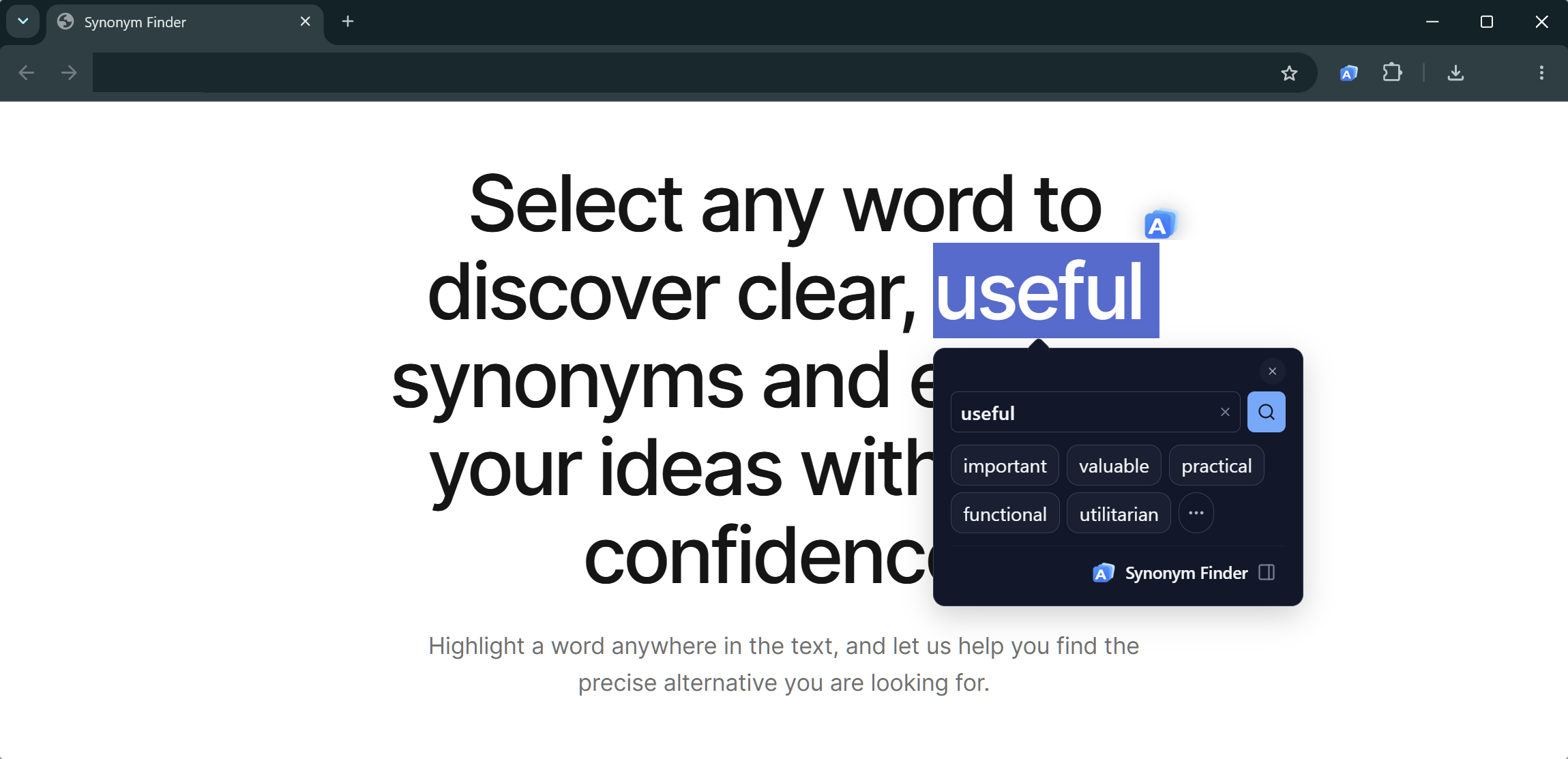
Highlight a single word in an article, an email draft or a document.
A small floating icon appears next to your selection.
A panel shows synonyms right where you are. Click one to copy it, or edit the word to search again.
The extension is for Chrome and also offers a side panel and a toolbar popup with recent searches. Some pages, such as Chrome’s built-in PDF viewer and Google Docs, don’t expose selected text to extensions, so the floating icon can’t appear there; use the side panel or this website instead.
Anyone who wants a more precise or less repetitive word.
Vary the wording in essays and assignments without leaving the article you’re citing.
Avoid repeating the same word and keep your flow while drafting.
Meet a new word on a webpage and see similar words you may already know.
Tighten emails, reports and presentations with clearer word choices.
Find fresh alternatives for headlines, captions and posts.
Look up words as you read and gradually widen the range of words you use.
Synonym Finder is a free online tool and Chrome extension that suggests synonyms and related words for a word you enter or select on a webpage.
Type a word into the search box at the top of this page and press Enter. You will see synonyms first, followed by related words, and you can click any word to copy it.
Yes. The website and the extension are free to use, with no account or sign-up.
Select a single word on a webpage, click the small Synonym Finder icon that appears next to it, and a panel shows synonyms for that word without leaving the page.
Yes. The search tool on this page works in any modern browser with nothing to install. The extension only adds the convenience of looking words up on any page.
Suggestions come from the Datamuse word-finding API, and a dictionary check from Wiktionary data confirms that a word exists. Results are generated automatically, so always check that a suggestion fits your sentence.
The extension is built for Chrome today. Android, iOS and Windows versions are planned but not available yet. The web search tool works in any modern browser.
Add Synonym Finder to Chrome and look up a word without leaving the page.
Add to Chrome